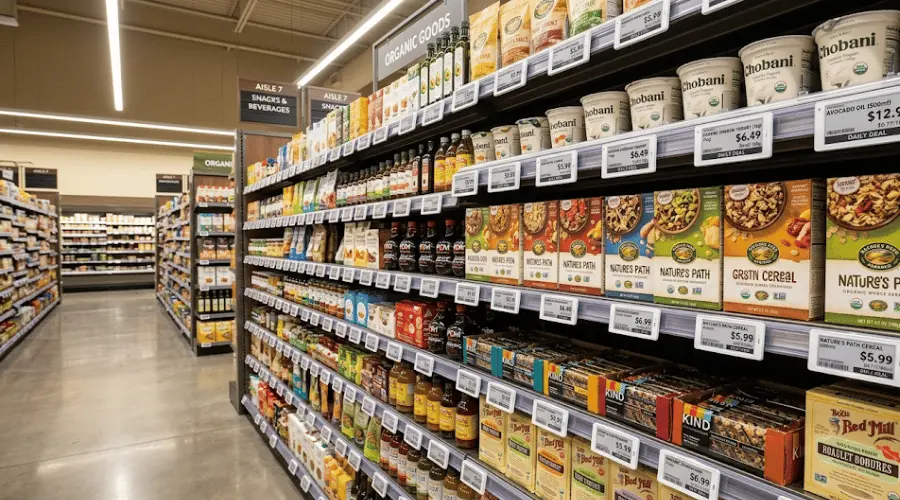
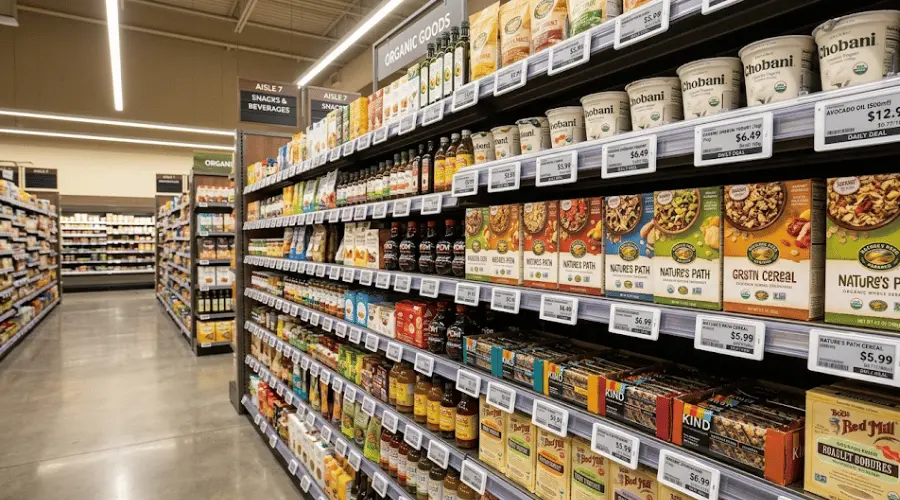
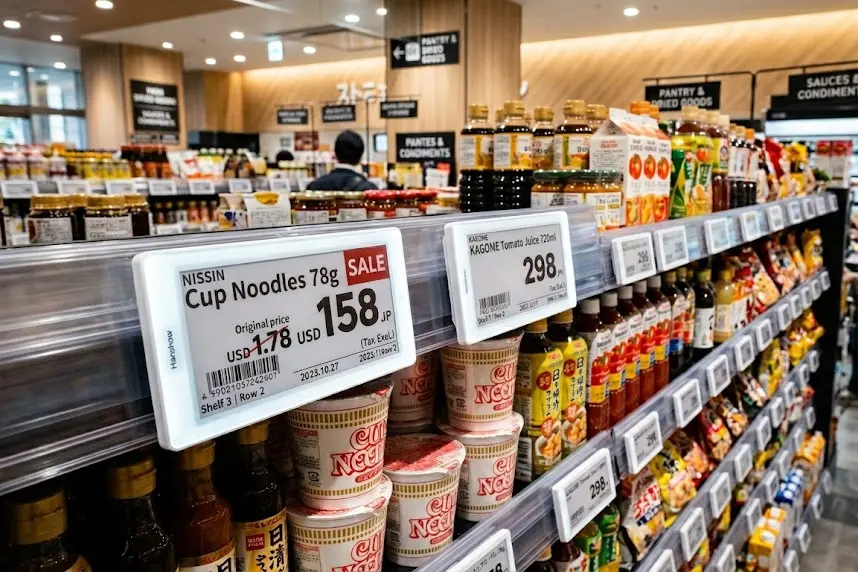
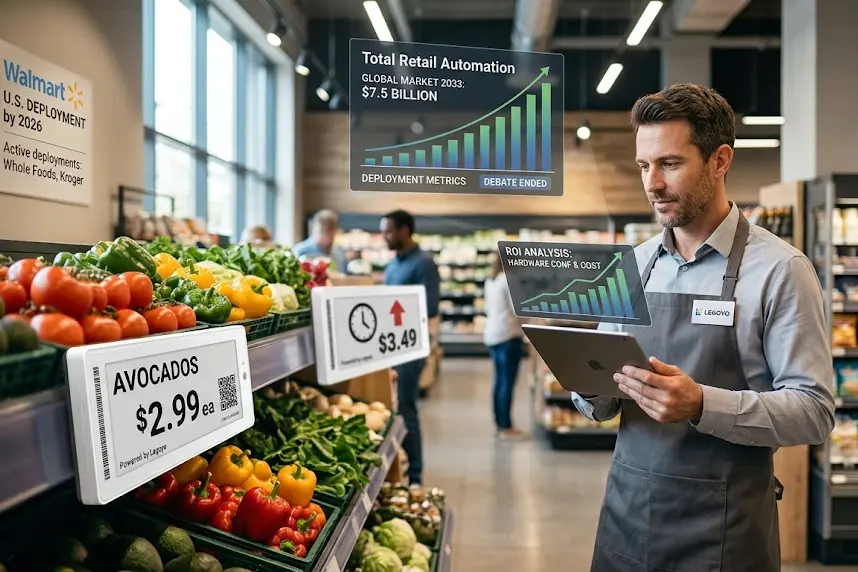
When Your Shelf Edge Stops Being Dead Space - And Starts Making You Money
Let Me Tell You What I Saw Last Month
So I'm doing a post-install check at a regional grocery chain - won't name names, but you'd recognize the logo. Seasonal changeover week.
The store manager corners me in the break room. Not in the nice way. He's got that look - the one where you know someone's about to dump their entire week on you. Three employees. Clocked in at 5 AM. Four hours swapping paper tags before doors opened. And then - this is the part that kills me - that same afternoon, some customer's waving her phone at the cashier: "Your shelf says $3.29, the app says $2.99. Which one is it?"
The cashier froze. Manager ran over to do damage control. I stood there thinking: I've watched this exact scene play out maybe a hundred times.
But here's what stayed with me. It wasn't the price mismatch. It was the manager's face when he told me about it later. Not angry. Just... tired. The kind of tired that comes from fighting the same battle every single week and knowing you're going to lose again next Tuesday.
MarketsandMarkets put out a report late last year - global ESL market at $2.75 billion in 2025, heading toward $4 billion by 2029. That's a 12% CAGR. Nice number for a slide deck. But honestly? Macro stats don't keep me up at night. What I keep asking is: why now? Why are so many retailers finally taking this seriously after years of kicking the can?
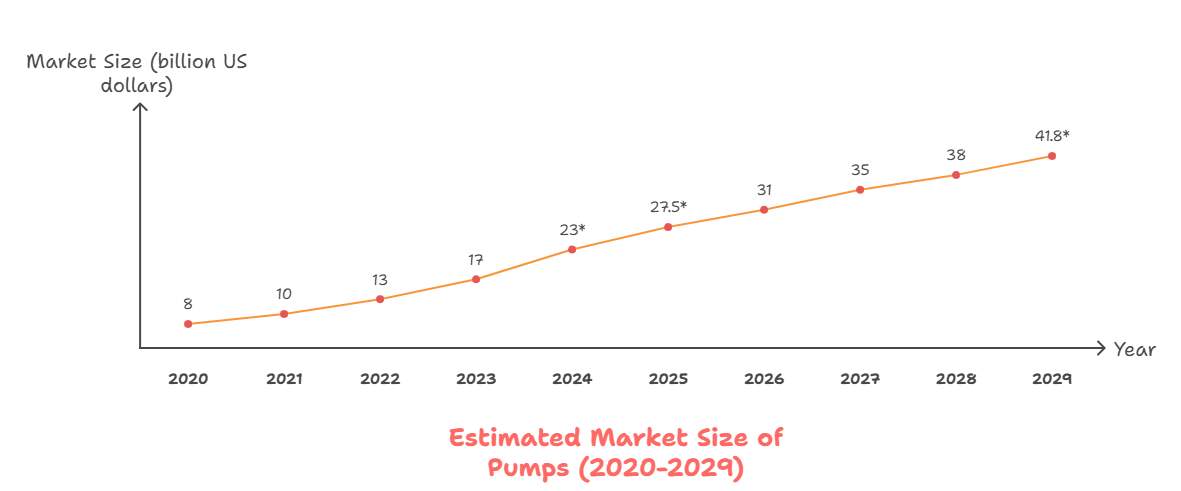
Source: MarketsandMarkets Electronic Shelf Labels Market Report, 2025
Simple answer: they finally did the math. The hidden costs of paper tags? Brutal doesn't begin to cover it.
The Numbers Nobody Wants to Talk About
We ran some back-of-napkin math on a mid-size supermarket. Roughly 40,000 SKUs.
Normal week? About 15% of products need a price update. That's 6,000 tags. Promo season? Closer to 25% - nearly 10,000. Each paper tag swap - printing, walking the floor, finding the right slot, double-checking because God forbid you put the organic yogurt price on the regular yogurt - runs about 4 minutes on average.
Four minutes. Sounds like nothing.
Let me reframe that: 6,000 tags times 4 minutes equals 400+ hours of pure grunt work. Ten full-time employees doing nothing but changing labels for an entire week. I've watched grown adults argue over whether that number is real. Then I show them the time-motion study we did. They stop arguing.
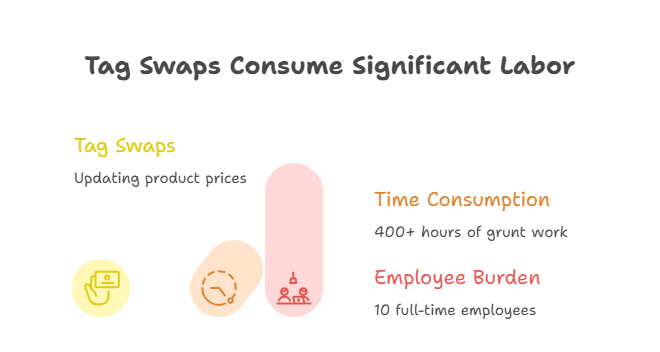
And here's the part that doesn't show up on anyone's spreadsheet: about 30% of an associate's shift gets burned on non-value-add stuff. Hunting for shelf locations. Verifying barcodes. Picking up tags that fell off because some kid thought they were stickers. We call it "operational leakage." Death by a thousand paper cuts. Literally, in this case.
Then there's the register drama.
We've tracked this across a bunch of clients - paper tag stores average 47 price discrepancies per week. Forty-seven. Each one means an annoyed customer, a backed-up line, a cashier who wants to disappear into the floor, and probably a one-star Yelp review brewing in someone's pocket.
The kicker? Most states have scanner accuracy laws. If the shelf price is lower than what rings up, you're on the hook. Some jurisdictions have triple-damage penalties. I've seen stores get hit with $50K in fines over a bad holiday season. And the downstream hit to repeat traffic? We tracked one store that lost 15% of their regulars within two weeks of a viral price-mismatch incident. Someone posted a TikTok. That was it.
Paper tags aren't just inconvenient. They're risk amplifiers wearing a $0.03 price tag.
Two Technologies, Two Different Jobs
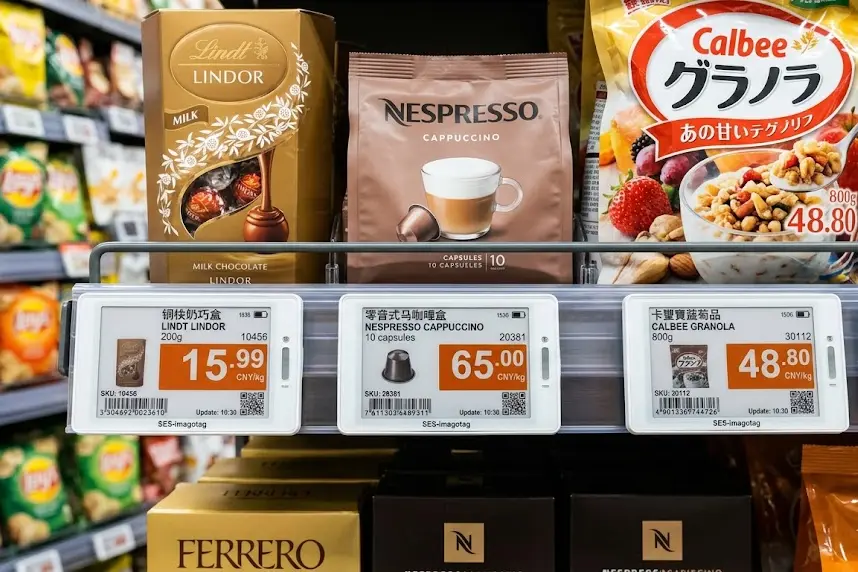
When you're talking creative retail display in 2026, two things come up: electronic shelf labels and bar-type LCD screens. A lot of folks assume they're competing solutions.
They're not even playing the same game.
Think of it this way: ESLs are your back-office workhorse. Quietly handling price, inventory codes, compliance data. Battery lasts 3-5 years. Set it and forget it. LCD screens? That's your frontline closer - eye-level real estate, running video loops, product demos, lifestyle imagery. The stuff that makes someone stop scrolling their phone and actually look at your shelf.
One drives efficiency. One drives conversion. Put them in the right spots, and they start feeding each other.
|
Comparison |
Bar-Type LCD Screens |
|
|
What It Does |
Price sync, stock alerts, batch updates, audit trails |
Brand videos, product demos, promo animations, interactive content |
|
Power Source |
Coin cell battery - lasts 3-5 years |
Continuous power - 5-15W draw |
|
Best Placement |
Store-wide coverage, wherever products live |
The strike zone - eye level, high-margin spots |
|
ROI Driver |
Labor savings - pays for itself in headcount |
Sales lift + retail media revenue - brands pay for placement |
Let's break this down by vertical. What works in pharmacy looks nothing like what works in a convenience store.
Pharmacy & Wellness: Free Up the Pharmacist, Empower the Shopper
True story from a regional drugstore chain we consulted for last year.
The pharmacy manager - let's call her Sarah - tells me her OTC section eats up 80% of her pharmacists' time. And it's not clinical stuff. It's customers asking "How many of these do I take?" and "Can I mix this with ibuprofen?" Questions that are literally printed on the box. In 6-point font. That nobody over 50 can read without squinting.
Here's what Sarah said that stuck with me: "My pharmacists hate it. Not because they don't want to help - they do. But answering dosage questions makes them feel like shelf clerks instead of healthcare professionals. Meanwhile, Mrs. Patterson over there actually needs a consult about her new blood pressure meds, and I can't get to her because I'm explaining Tylenol PM for the twentieth time today."
That's not a knowledge problem. That's a display problem.
The Fix
We went with what we call the "static for compliance, dynamic for conversion" playbook.
ESLs handle the regulatory stuff - NDC codes, expiration flags, insurance pricing, Medicare Part D tags. All the stuff auditors love to nitpick. Locked down, auto-updated, generates a paper trail without anyone touching a printer.
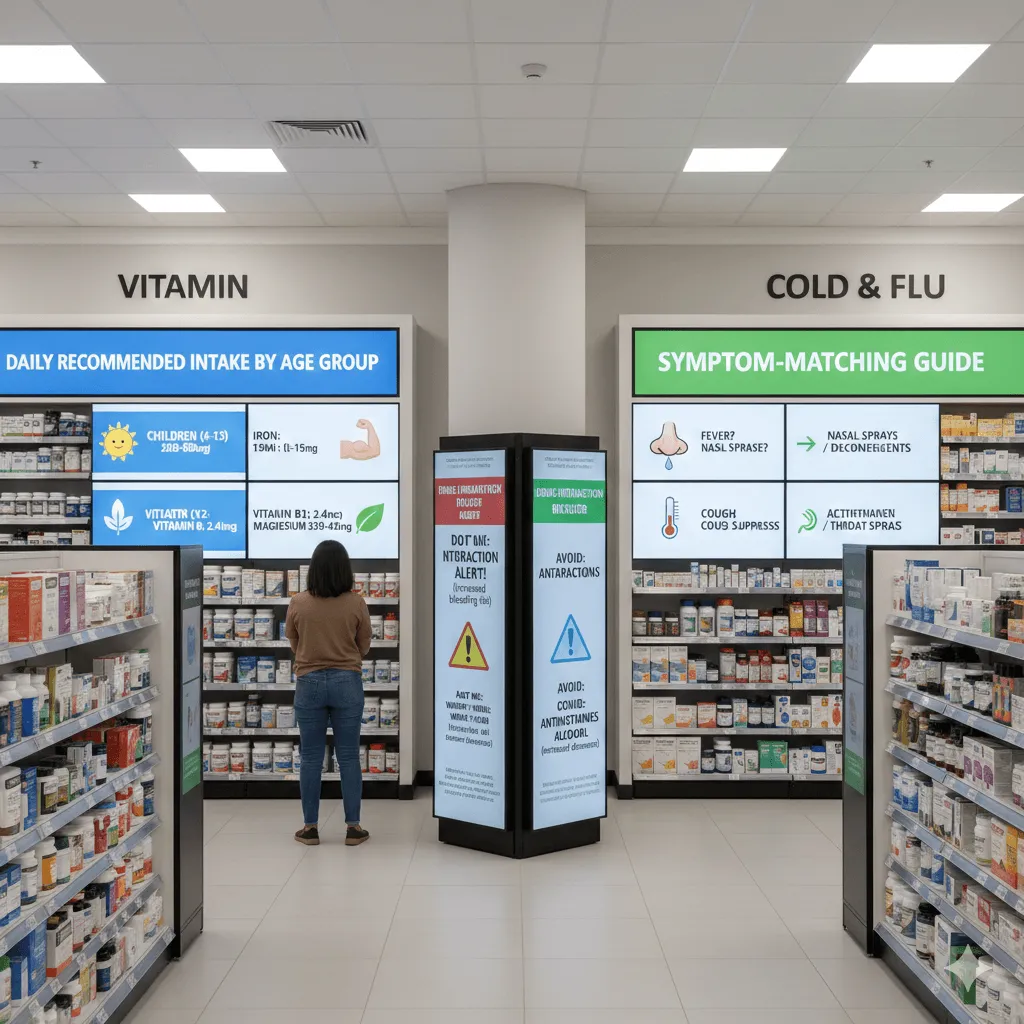
Then we dropped 28-inch bar screens at eye level in the OTC zone. But here's the thing - we didn't load them up with ads. We turned them into a "virtual pharmacist." Vitamin aisle gets daily recommended intake by age group, big fonts, clear icons. Cold & flu section shows a symptom-matching guide - runny nose? Try this. Fever? Try that. Drug interaction warnings on rotation, which combos to avoid.
What Happened Next
Three months later, follow-up visit. Sarah pulls up two numbers.
Pharmacist Q&A on basic stuff dropped 22%. Expected that.
OTC basket size went up 18%. Did not expect that.
Took us a minute to figure out why. Turns out, when shoppers couldn't read the fine print, they defaulted to whatever was cheapest or most familiar. Once they could actually see the information - see it at a glance, without their reading glasses - they started trading up to products that better fit their needs. And the pharmacists finally had bandwidth for real consultative selling. Sarah told me one of her pharmacists sold three wellness bundles in a single afternoon. Hadn't happened in months.
Convenience Stores: The Battle for the Cooler Door
C-store economics are a whole different animal. Maybe 2,500 square feet. Every inch of shelf has to pull its weight.
The most fought-over real estate? The beverage cooler.
Energy drinks, craft sodas, hard seltzers - every brand is throwing trade marketing dollars at that glass door. But the cooler only fits so many facings. So what do you do?
Some operators are getting creative with the door frame itself - mounting slim, semi-transparent LCD strips that run promos without blocking the product view. The smart play is trigger logic: It's 98°F outside? Screen says "Beat the heat - ice cold inside." Raining? Auto-switch to "Rainy day deal: BOGO on hot coffee." 7 AM pushes the breakfast combo. 10 PM pushes late-night snack + energy drink bundle.
Rolled this out at a handful of c-store chains now. Trigger-based promos are pulling about 27% higher conversion than static signage. Your mileage will vary based on product mix and copy, but the direction is clear.
The Catch: Cooler Environments Are Brutal
Here's the cold truth.
Inside the case it's near freezing. Outside could be 80°F. Every time that door swings open, you get a 40-degree temperature swing. That means condensation. And condensation kills screens.
I've seen competitors slap consumer-grade displays in a fancy housing and call it "cooler-ready." Three weeks later? Dark spots bleeding in from the edges. Moisture wicking under the polarizer. By week six the whole thing looks like it's got cataracts.
A lot of vendors say their stuff is waterproof. Want my advice? Take a spray bottle and mist the demo unit for thirty seconds. Do it three times a day for a week. If it still works, maybe trust them. Condensation is way more aggressive than people think. It's not water splashing on the screen - it's water forming inside the screen, in the gaps between layers, in places you can't even see.
Quick spec check before you buy: operating range of -20°C to +50°C, 95% humidity tolerance without condensation, IP65 rating minimum, and 700+ nits brightness to cut through door glare. Power supply has to live outside the fixture - never inside. No certs? Walk away. I don't care how good the sales pitch is.
Beauty & Cosmetics: You Bought the Screen. Now What?
Beauty retail should be a slam dunk for digital displays. Gorgeous products. High ASPs. Brands with deep pockets for content creation.
And yet I keep walking into stores where the screens are basically expensive wallpaper.
The problem? Stale content.
I was at a beauty retailer last spring. Their shelf screens were installed maybe eight months prior. Still looping a cherry blossom limited-edition campaign from the previous year. That SKU? Discontinued for six months. The screen didn't get the memo. Store associate shrugged: "Yeah, we've been waiting on the brand to send new assets. They keep saying it's coming."
Here's the thing about screens. First visit, the motion catches your eye. Second visit, it's familiar. Third visit, background noise. Fourth visit - nobody's looking anymore. You've trained your shoppers to ignore the thing you spent $400 on.
How to Fix the Content Problem
Treat content refresh as a KPI. Not an afterthought. Not "we'll get to it when we have time." A KPI that someone's job depends on.
We coach clients to think in tiers. Tier A: Evergreen brand campaigns from HQ - updated quarterly. Tier B: Trending content synced from TikTok/Instagram - within 48 hours of going viral. Tier C: Auto-triggered markdown content based on real-time inventory - no human touch required.
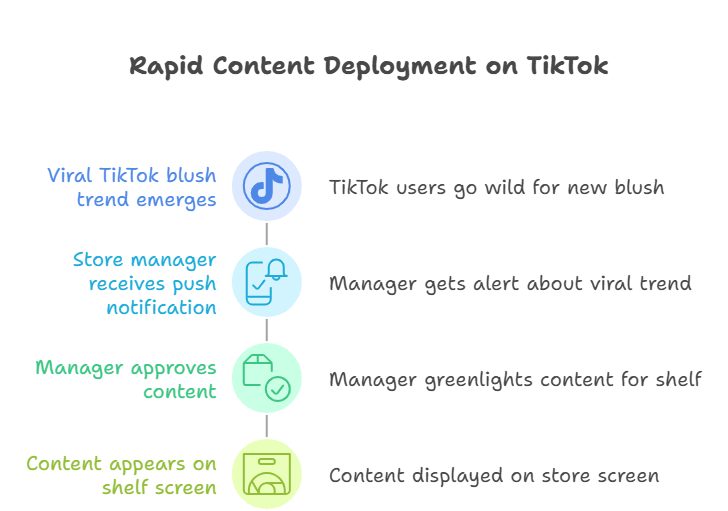
The unlock is a CMS that talks to social listening tools. Something blows up on TikTok - "That viral blush!" - your store manager gets a push notification, taps approve, content's on the shelf screen the next morning. Discovery to shelf in under 48 hours.
We tracked a cohort of stores running this playbook. Zones with high-frequency content refresh outperformed static zones by about 31% in sales. Average dwell time in front of those screens hit 8.2 seconds - industry average is barely 4. People actually stop and watch when there's something new to see. Who knew.
Premium Grocery: Racing Against the Expiration Clock
Fresh food has one unavoidable problem: it spoils.
Industry folks call it "shrink." In perishables, shrink rates run 8-12%. Translation: for every $100 of produce you bring in, $8-12 goes straight in the dumpster. A large grocery chain doing $100M+ in fresh annually? Knocking one point off shrink is a million bucks straight to the bottom line.
The old-school move is throwing bodies at it. Morning crew eyeballs the dates, slaps a handwritten "Manager's Special" sticker on anything close to the edge, moves it to an endcap. Problem is - people forget. People miss things. People miscalculate. And by the time you mark it down, the golden window's already closed. I've seen store managers literally digging through yogurt at 9 PM trying to find what's expiring tomorrow. That's not a system. That's desperation.
Let the System Do the Heavy Lifting
The smarter approach: wire your ESL system into inventory management. Every item gets a shelf-life tag at receiving. The system counts down automatically and triggers price adjustments based on rules you set.
Example: a carton of yogurt. More than 7 days out? Full price. 4-7 days? Auto-drops to 10% off. 2-3 days? 20% off. Last day? 35% off. Day-of expiration? Half price, move it or lose it. The ESL color changes too - green for normal, yellow for approaching, red for same-day. Your floor staff can do a visual sweep and know instantly what needs attention.
|
Days to Expiry |
Discount |
Label Color |
Category |
|
>7 days |
Full price |
Green |
All |
|
4-7 days |
10% off |
Light Yellow |
Dairy, ready-to-eat |
|
2-3 days |
20% off |
Yellow |
All |
|
1 day |
35% off |
Orange |
All |
|
Same day |
50% off |
Red |
All |
One client ran this system for six months. Shrink dropped from 9.2% to 4.8%. On an $80M fresh department, that's $3.5M back in their pocket annually. The CFO hugged me. I'm not making that up.
The real insight: it's not just about marking things down. It's about dynamic pricing rhythm. Mornings, use LCD screens to run farm-fresh origin videos and justify premium pricing. Evenings, let the markdown engine kick in and clear inventory. This "variable frequency" approach can lift overall margin by 5-8%.
The Provenance Play
Premium shoppers want the backstory. Imported steaks, high-end seafood, fancy olive oil - they're paying for origin and quality. A paper tag that says "Product of Norway" doesn't cut it anymore.
We've helped some upscale grocers install bar screens in the import section. Scan the barcode, and the screen lights up with the full traceability chain: which farm or fishery, GPS coordinates, photos of the producers, transit timeline, arrival date. For premium salmon, there's even drone footage of the Norwegian fjords where it was raised.
After install, 38% of shoppers in the import section actively scanned to see the story. Organic produce saw a 23% lift in average basket. When you're charging a premium, you'd better give people a reason to pay it.
Baby & Maternity: Solving the New-Parent Anxiety Loop
Baby products are a different beast. Purchase decisions are agonizingly careful.
Buy the wrong shampoo? Switch brands. No big deal. But formula, diapers, baby food - that stuff touches your kid. New parents research for weeks before committing.
A buddy of mine just had his first kid last year. His wife spent two solid weeks deep in Amazon reviews, Reddit threads, mommy Facebook groups trying to pick a formula. The brand she finally chose? It was on the shelf at their local grocery the whole time. But she didn't trust it - "Online reviews say it's good, but I couldn't verify anything in the store. What if it's counterfeit?"
That conversation stuck with me. If the information exists online, why doesn't it exist at the shelf?
Building Trust Into the Shelf
Our approach for baby retail clients centers on what we call "trust visualization." And here's something we learned the hard way: flashy promo animations actually backfire with this demographic. New parents don't want carnival vibes. They want reassurance. They want someone to tell them it's going to be okay.
First layer: expert endorsements. Short video clips from pediatricians and registered dietitians - not scripted ads, but actual explanations of what age range it's for, what to watch for, how to use it. Name, credentials, hospital affiliation displayed. Soft lighting, calm tone.
Second layer: real-time reviews. API integration with Amazon, Target.com, Walmart.com - pulling live star ratings and curated review snippets for the exact SKU on the shelf. "★4.8 | 12,847 reviews | 98% positive." The same social proof they'd find on their phone, now visible at the point of decision.
Third layer: side-by-side comparison. Scan a QR code, screen shows a comparison table - ingredients, price per ounce, recommended age, aggregate ratings - for competing products. Decision paralysis? Solved in one glance.
The Results
We tracked three baby specialty retailers over six months.
Average decision time dropped from 8.3 minutes to 4.7 minutes. Less dithering, faster checkout. Premium SKUs - 30%+ price premium - saw 29% higher conversion. Expert endorsement unlocks willingness to pay. Return rate dropped 18%. Informed purchases mean fewer regrets.
That return rate number is huge. Returns are expensive to process, and most opened baby products can't be resold. Every avoided return is pure margin.
Let's Talk Numbers
Alright, enough theory. Let's get to the part your CFO actually cares about.
Here's a ballpark range based on what we're seeing in the market:
|
Item |
ESL (Small) |
ESL (Large) |
LCD Bar Screen |
|
Unit Cost |
$8-15 |
$18-35 |
$200-800 |
|
Install Cost/Unit |
$0.50-1 |
$1-2 |
$50-150 |
|
Expected Lifespan |
5-7 years |
5-7 years |
3-5 years |
For a 40,000-SKU store, full ESL coverage runs $350K-600K, plus another $20-50K for gateways and infrastructure. LCD screens at 100 prime locations, with wiring and install, adds $25K-100K.
The Payback Logic
Here's how I explain ESL payback to finance people who don't want to hear about "customer experience."
Remember those 400+ hours per week of tag swapping? ESL compresses that to about 30 minutes. Annual labor savings typically equal 2-3 FTE salaries. Most clients see payback in 12-18 months - and that's before you count reduced price-error penalties and the fact that your associates stop quitting because they're sick of being human label printers.
LCD screens have a different ROI story. Two revenue streams.
First: sales lift. Hard to isolate precisely, but we consistently see 25-35% improvement in high-margin category movement where screens are deployed.
Second - and this is the one that gets finance excited - retail media revenue. Think of your screens as "offline ad inventory." Brands will pay for that eye-level real estate. High-traffic stores are pulling $100-250 per screen per month in brand advertising. 100 screens equals $120K-300K annually in new revenue. LCD payback? Often 6-14 months - faster than ESL.
Don't pitch your CFO on "better customer experience." That's marketing-speak and they've heard it a thousand times. Ask them this instead: "The brands are already paying us co-op dollars for shelf position. Do you want that money going to paper signs, or do you want it funding a retail media network that actually generates revenue?" That's a different conversation. I've watched that single question unlock six-figure budgets.
A Few Landmines to Avoid
Quick hits on the technical stuff. Not trying to turn this into an engineering manual, but I've seen too many good projects blow up on dumb mistakes. These are the ones that haunt me.
Power Runs Longer Than You Think
LCD screens need continuous power, usually 12V DC. Here's what nobody tells you until it's too late: voltage drops over distance. Past about 50 feet, a 12V line can sag below 11V - and your screens start flickering, dimming, or just dying.
I had a client call me at 10 PM because half their screens went dark during a grand opening. Traced it back to a 90-foot power run that the installer swore would be fine. It was not fine.
Solution: for long runs, step up to 24V or 48V at the source and use converters at the screen. Or add power injection points every 60 feet or so. Stupid simple, but nobody does it until they've been burned.
Don't Suffocate the Hardware
Flush-mounted screens look great in the renderings. Then they die.
LCDs generate heat. If you seal them into a wooden fixture with zero airflow, they'll start crashing within a few months as internal temps climb past 140°F. I pried open a failed install last summer - the board inside was literally discolored from heat stress. Looked like someone tried to cook it.
Leave at least a 5mm air gap behind the unit and cut ventilation slots top and bottom. Doesn't look as pretty. Doesn't cost you $800 in warranty replacements either.
The Price Sync Nightmare
This one's the silent killer.
ESL says $4.99. The promo video on the LCD says $5.99. POS rings up $4.49. Three prices, three systems, zero coordination. Customer loses their mind. I've been in the room when this happens. It's not fun.
Root cause: you bought ESL from one vendor, LCD from another, and they're running separate content backends that don't talk to each other. I've cleaned up messes where price sync lag hit two hours - two hours of conflicting prices on the floor. The store manager was ready to rip everything out and go back to paper.
The fix: single source of truth. All price changes originate from your ERP or POS master. ESL and LCD both subscribe via API - they don't maintain their own price tables. Ideally, pick a vendor where both product lines share a unified backend. Solutions like Legoyo run ESL and LCD off the same software stack and rail system, which eliminates the "two systems that don't talk" problem at the source. If your vendors can't integrate cleanly, build an automated reconciliation script that flags discrepancies the moment they appear. Better a false alarm than a customer blowup at checkout.
Wrapping Up
Look, creative retail display isn't rocket science. It's not some bleeding-edge tech that only the big boxes can afford. It's a set of tools that help you save labor, move more product, and stop arguing with customers about prices.
Whether it works for you comes down to three things. First: did you pick the right hardware for your environment? Don't put a consumer-grade screen in a freezer case. I've said it three times in this piece and I'll say it again. Second: are your systems integrated? One price, everywhere, always. Third: are you feeding the content machine? Screens aren't set-it-and-forget-it. They need care and feeding.
If you're thinking about dipping a toe in, here's my advice: don't go store-wide on day one. Pick one or two high-margin categories - beauty, baby, imported goods, whatever moves the needle for you. Run a pilot for 90 days. Measure everything. See what actually moves. Then scale.
Way better than rolling out to 200 locations and discovering halfway through that you picked the wrong solution. Trust me on that one.
Sources & References
1. MarketsandMarkets. Electronic Shelf Labels Market - Global Forecast to 2029.
2. Grand View Research. Electronic Shelf Label Market Size, Share & Trends Analysis Report.
3. NRF - National Retail Federation. 10 Trends and Predictions for Retail in 2026.
4. Quimby Digital. Retail Media and In-Store Advertising Performance Study.
Note: Some projections are based on pre-2025 market trends. Validate against current data before making investment decisions.